> ## Documentation Index
> Fetch the complete documentation index at: https://docs.verisoul.ai/llms.txt
> Use this file to discover all available pages before exploring further.
# Overview
> How to integrate ID Check into your application
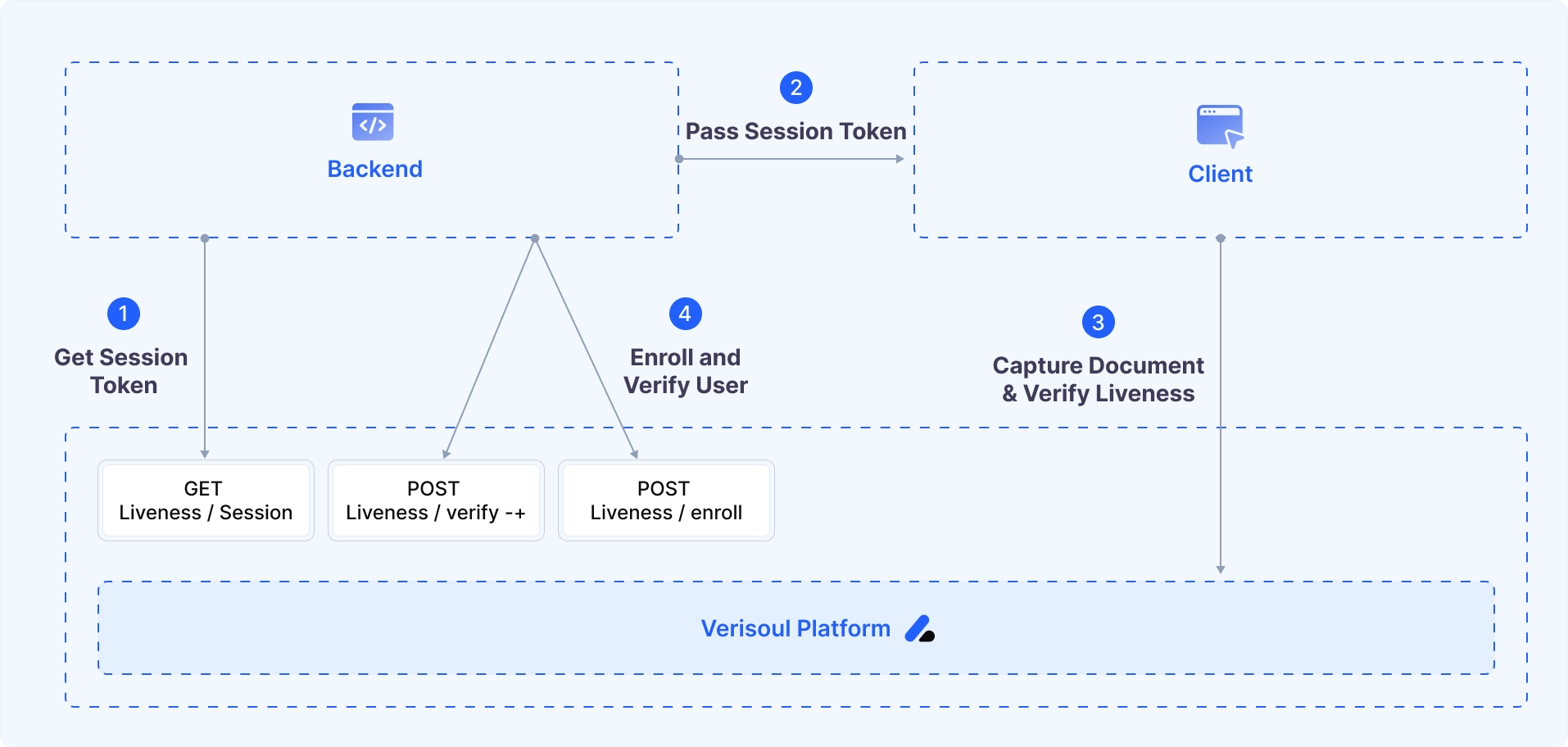 ## Integration Flow
Your backend server requests a session token from Verisoul's API
Your application directs the user to ID Check with the session token
After the user completes verification, you can verify the user's identity document, liveness and face-to-id matching
## Example Implementation
For a working example of the integration, see our sample app. You can customize decisioning logic and try the verification workflow yourself.
Complete reference implementation demonstrating ID Check integration in a React Native application
## Integration Flow
Your backend server requests a session token from Verisoul's API
Your application directs the user to ID Check with the session token
After the user completes verification, you can verify the user's identity document, liveness and face-to-id matching
## Example Implementation
For a working example of the integration, see our sample app. You can customize decisioning logic and try the verification workflow yourself.
Complete reference implementation demonstrating ID Check integration in a React Native application